> ## Documentation Index
> Fetch the complete documentation index at: https://docs.cipher42.ai/llms.txt
> Use this file to discover all available pages before exploring further.
# Chat
> Natural language interface for exploring, querying and visualizing datasets with rich context and tool use.
## Overview
 ### Context
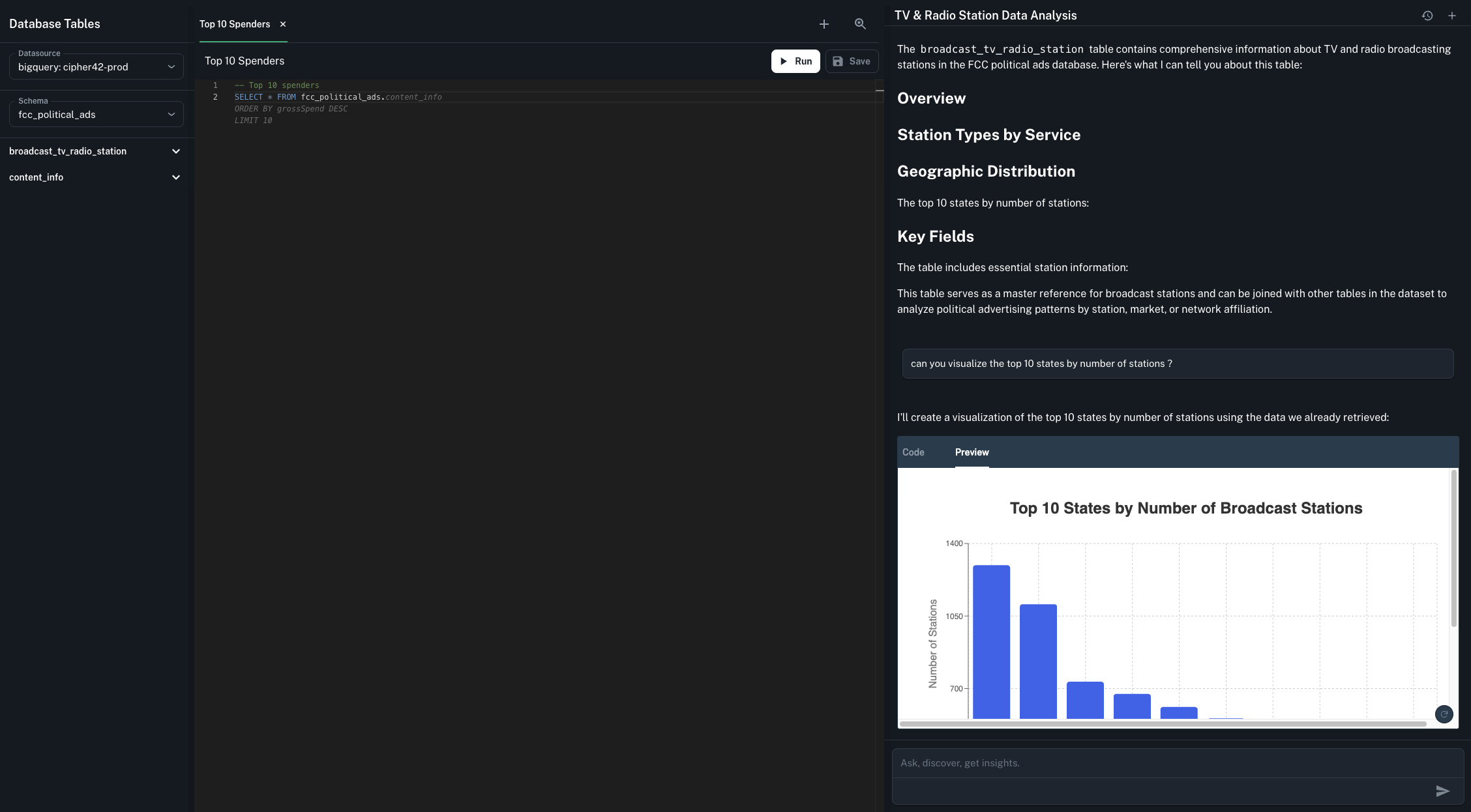
The chat has deep context to your schema (which is indexed for fast retrival once you add a datasource), previous run queries and other key metadata.
### Tool Use
The chat hass access to various tools to be able to gather the right information and visualize it.
Search for relevant tables by name, by datasource or by schemas.
Run a query with the right SQL flavour and context to gather additional information or perform the analysis requested by the user.
Visualize results with React ReCharts
### Context
The chat has deep context to your schema (which is indexed for fast retrival once you add a datasource), previous run queries and other key metadata.
### Tool Use
The chat hass access to various tools to be able to gather the right information and visualize it.
Search for relevant tables by name, by datasource or by schemas.
Run a query with the right SQL flavour and context to gather additional information or perform the analysis requested by the user.
Visualize results with React ReCharts